
- What Search APIs Do
- How Search APIs Support Research
- How Developers Use Search APIs for Coding
- Search APIs in AI Application Development
- Features That Matter
- A Practical Search API Workflow
- How to Test Search Quality
- Common Risks and Limitations
- How to Select the Right API
- Common Questions
- Final Takeaway
Modern search APIs give software a structured way to find information across the web. Instead of sending users to a traditional search results page, they return data that applications can filter, analyze, cite, and use in workflows. Teams comparing Exa and Brave may focus on factors such as retrieval style, result quality, speed, citations, and support for machine-readable content.
For researchers and developers, the goal is not simply to retrieve more pages. It is to retrieve the right material, identify its source, and make it useful in a repeatable process. A well-designed search workflow combines clear queries, trusted sources, content extraction, ranking, and human review.
What Search APIs Do
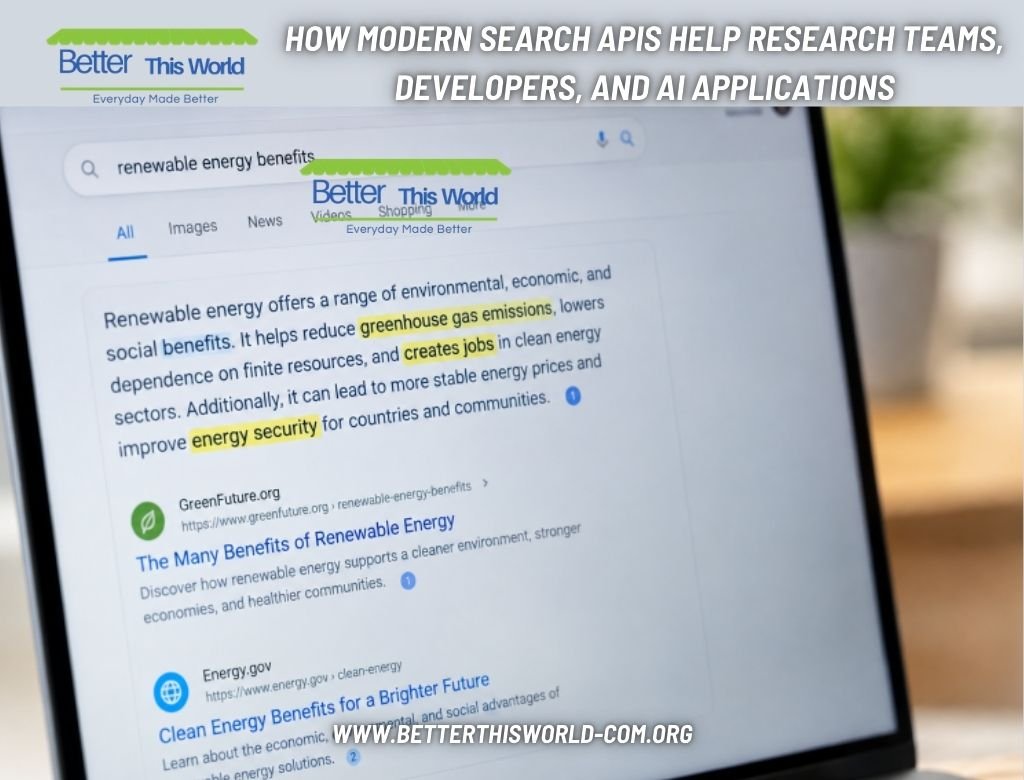
A search API lets an application submit a query and receive structured results. Those results may include a title, URL, short description, publication date, relevance score, page highlights, or extracted text. Software can then display the results, save them, send them to another system, or use them as context for an AI response.
A search API is different from a crawler, which discovers and collects pages, and from a content extraction tool, which turns a page into cleaner text. It is also different from a vector database, which usually searches information that an organization has already stored and indexed. Many production systems combine all four capabilities.
How Search APIs Support Research
Research teams can use programmatic search to run consistent queries across many sources. Filters for date, language, domain, content type, and topic help reduce noise when a project requires recent reports, public records, technical papers, or official documentation.
For example, a market researcher could retrieve recent reports, group the findings into themes, remove duplicate coverage, and ask a language model to compare the material only after the original pages have been collected. This approach keeps the underlying evidence available for review instead of treating an AI-generated summary as the starting point.
Search is especially useful for ongoing work. Saved queries can monitor a company, regulation, technology, or research area and flag new material for review. Page highlights can also help a researcher decide whether a document deserves a full reading.
How Developers Use Search APIs for Coding
Developers often need information that changes faster than a model’s built-in knowledge can. Search can surface current library documentation, release notes, migration guides, issue discussions, error-message explanations, and examples from trusted repositories.
Example Coding Workflow
- A developer asks a question about a framework, dependency, or error.
- The system searches official documentation and other approved technical sources.
- Relevant passages and version details are extracted.
- An AI assistant drafts an explanation or code sample using that context.
- The developer checks the cited material, tests the code, and reviews security and licensing requirements.
Search can improve code discovery, but it does not replace testing or code review. Retrieved examples may be outdated, incomplete, insecure, or incompatible with the developer’s environment.
Search APIs in AI Application Development
AI applications frequently need information beyond their original training data. In a retrieval-augmented generation workflow, an application retrieves relevant documents before generating a response. This can help users inspect supporting material and can give the system access to updated external information.
Search and Retrieval in an AI Agent
- Interpret the user’s request.
- Turn that request into one or more focused queries.
- Retrieve and rank possible sources.
- Extract useful passages while removing irrelevant page elements.
- Generate an answer with visible references.
- Search again or ask for clarification when the available evidence is weak.
Features That Matter
- Freshness controls: Date filters help with fast-changing subjects.
- Content extraction: Highlights and clean text reduce unnecessary reading and processing.
- Source filtering: Domain restrictions can prioritize official, academic, or internal sources.
- Semantic retrieval: Meaning-based matching can complement exact keyword searches.
- Citation support: Each important claim should remain connected to its underlying page.
- Operational controls: Teams need visibility into latency, rate limits, caching, costs, and data handling.
A Practical Search API Workflow
Define the Task and Source Rules
Start by deciding whether the work is a quick lookup, a broad research assignment, a code search, or a continuous monitor. Then set the rules: preferred domains, excluded sites, date range, language, and whether primary sources are required.
Retrieve, Clean, and Rank Evidence
Remove duplicates, broken pages, navigation text, advertisements, and weak matches. Rank the remaining sources by relevance, authority, freshness, directness, and agreement with other reliable materials. The final application can then summarize findings or answer questions while preserving the source references.
How to Test Search Quality
Search quality should be measured against real tasks, not a single impressive demo. Useful criteria include relevance, recall of important sources, precision of useful results, freshness, response time, groundedness of generated answers, consistency, and total cost per completed task. Work on benchmarking API recommendation systems also illustrates why matching technical questions to genuinely useful resources requires careful evaluation.
A practical test plan is straightforward:
- Create 25 to 50 representative questions.
- Identify the best available sources for each question.
- Run the same set through each candidate system.
- Score results with a consistent rubric.
- Review averages alongside difficult edge cases.
Common Risks and Limitations
Search results can be outdated, incomplete, duplicated, or wrong. High-ranking pages are not automatically authoritative, and an AI system can still misread a reliable source. Search indexes may also miss private, paywalled, newly published, or poorly indexed content.
Reduce those risks by preferring primary sources for important claims, showing citations near key statements, applying date filters to changing topics, testing generated code, and requiring human review for high-stakes decisions. Teams should also avoid storing sensitive query data unless it is necessary for the service.
How to Select the Right API
There is no universal best option. Evaluate what your application must find, whether it needs live results or a stable index, whether users need citations, what response time is acceptable, how many searches will run each day, and what privacy rules apply. Also consider how easily the service can be tested, monitored, and replaced if requirements change.
Common Questions
What Is a Search API Used For?
It lets software retrieve structured search results for research tools, coding assistants, monitoring systems, AI applications, and internal knowledge workflows.
Can a Search API Replace a Researcher?
No. It can speed up discovery and comparison, but people still need to judge context, source quality, bias, and accuracy.
What Is the Difference Between Keyword and Semantic Search?
Keyword search emphasizes matching terms. Semantic search emphasizes meaning and intent. Many systems use both approaches together.
Final Takeaway
Modern search APIs connect software to useful external information. Their strongest value comes from a complete process: clear questions, careful source rules, reliable retrieval, clear evidence, visible citations, and regular evaluation. When those pieces work together, search can make research, development, and AI applications more useful and more accountable.